Your Klang calls are now end-to-end encrypted
As of today, every call on Klang is end-to-end encrypted, and there’s nothing to turn on. Here’s what that means, how it works and what it doesn’t cover yet.
 By Guillermo Olcina
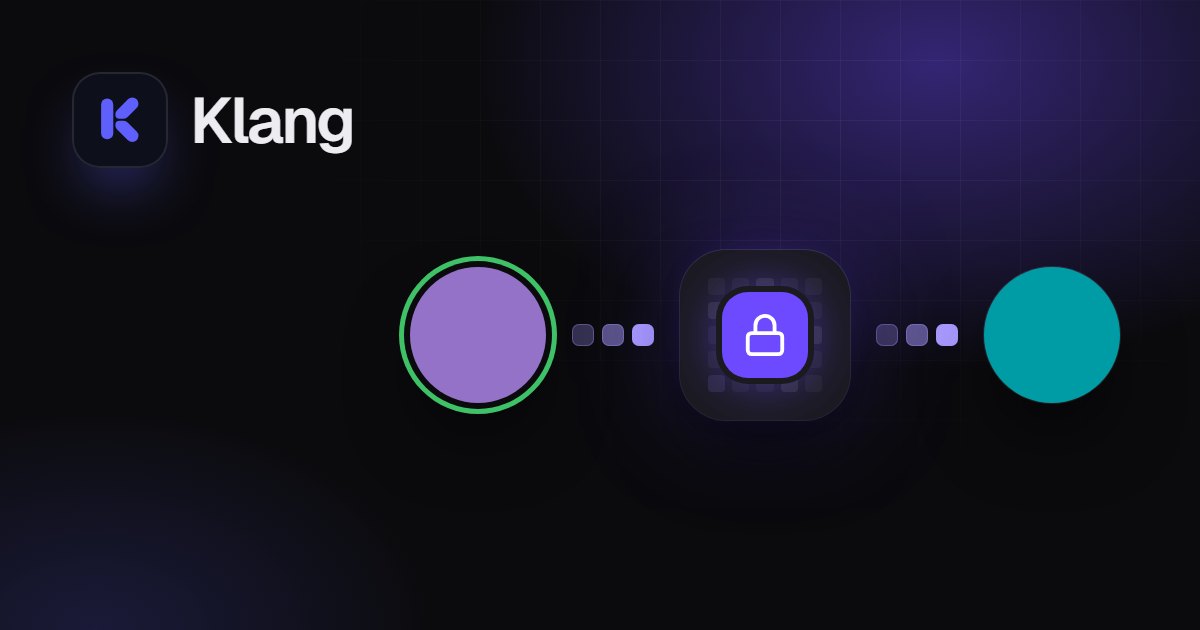
As of today, every call on Klang is end-to-end encrypted: voice, camera and screen sharing, in server voice channels as well as in groups and direct messages. It’s always on, and you don’t have to change anything.
In this post I explain what that means, what changes for you (almost nothing) and how it’s built. The first part is for everyone; the second is for anyone who wants the technical details.
What “end-to-end” means
When you talk on a Klang call, your voice doesn’t go straight to each person. It goes to our voice server, which forwards it to everyone else. That way you only upload your voice once, however many people are on the call.
That path was already encrypted before, so nobody between your device and the server could hear anything. But the server received the audio and video unencrypted so it could forward them. We didn’t record or listen to anything, but you had to trust us.
Now your device encrypts what you send before it leaves, and only the devices of the people on the call can decrypt it. The voice server still forwards everything, but it receives packets it can’t open, and neither it nor our API has the keys. Anyone looking at what goes through our servers, including us, can’t hear or see your call. The one exception is an active attack that isn’t closed yet; I explain it below.
Every call
There’s no switch and no “secure mode” in the settings. Encryption works in:
- server voice channels;
- group calls and direct message calls;
- voice, camera and screen sharing, including the sound you share with your screen.
I did it this way on purpose: if you had to turn it on, almost nobody would.
Everything else works as before. Noise suppression cleans up your voice on your device before it’s encrypted, so nothing changes there. The green ring still shows who’s talking, and you can turn each person’s volume down as usual. If you want to check, open the “Voice connection” panel during a call: it says “End-to-end encrypted.”
How it works, in plain words
Think of it like this: everyone on the call locks everything they send with a padlock, and gives a copy of the key to each of the others.
- When you join a call, your device creates your keys. They never leave it, and they’re thrown away when you leave the call.
- Everything you send is locked with your key.
- Each person gets a copy of your key, protected so that only they can use it. Those copies travel through the call itself.
- When someone leaves, the people who stay switch keys, so whoever left can’t hear what’s said afterwards.
The voice server just carries packets from one side to the other, and it can’t open any of them.
What it doesn’t cover yet
Right now you can’t check that the person receiving your key is really who they say they are.
That leaves one possibility open: whoever controls our voice server, whether an attacker or us, could pose as someone on the call and receive a key that isn’t meant for them. What they couldn’t do is quietly listen to calls in bulk: they’d have to attack each call while it’s happening.
Closing this needs a verification code: a set of numbers two people compare some other way, for example in a message or in person. If they match, nobody is in the middle. Discord has something similar, and it’s coming to Klang later.
What it costs
Three things change:
- Screen sharing uses H.264. Before, it could use AV1, which gives a bit more quality for the same amount of data. LiveKit, the voice software we use, doesn’t encrypt backup codecs yet, and those are what let people without AV1 see your screen. So we use a codec that works on every device. Once LiveKit encrypts them, we’ll go back to AV1.
- Voice loses some protection against dropouts. Before, each voice packet also carried a copy of the previous one (it’s called RED), which helped on networks that drop packets. With encryption it isn’t sent anymore. If a single packet gets lost, the voice codec covers it up, and in exchange voice uses less data.
- Very old browsers can’t join calls, because they can’t encrypt or decrypt. Klang tells you and asks you to update your browser or use the desktop app.
What doesn’t change is how long it takes to join. That was my biggest worry, because speed is the main idea behind Klang. The keys get ready at the same time as the rest of the connection, and we measured it: joining a call takes as long as before, within a few milliseconds.
What about Discord?
Discord also encrypts its calls end to end. It introduced its protocol, DAVE, in 2024, and since March 2026 it has used it on every call except in stage channels. It’s good work: the protocol is public and an outside security firm has reviewed it.
Klang isn’t the only one doing this. What I can say is that here it’s on in every call from day one, and that I’ve told you how it works, including what it doesn’t cover yet.
The technical details
Before. Calls go through LiveKit, an open-source voice and video server (an SFU) that we run on our own servers. Between each device and the SFU, audio and video were encrypted with DTLS-SRTP, the WebRTC standard. But that encryption ends at the SFU, which decrypted the content to forward it.
Now. Every audio and video frame is encrypted on your device with AES-GCM, after it’s encoded and before it’s sent. livekit-client does this in a separate thread with Insertable Streams, and only leaves unencrypted the header the SFU needs to forward frames and pick the quality. The SFU receives frames it can’t decrypt and forwards them just like before.
The keys. LiveKit does the encryption, but handing out the keys is up to us. A shared key handed out by our API wouldn’t be end-to-end, so the clients exchange keys among themselves:
- On joining, each client uses WebCrypto to generate an ECDH P-256 key pair (the private key can’t be exported) and a random 32-byte sender key, which it uses to encrypt everything it publishes. There’s one key per person, like Signal’s sender keys.
- On connecting, the client sends a hello to the call with its public key. Each participant who receives it replies to that client only with their own sender key, encrypted with AES-GCM under a key derived with HKDF from the ECDH secret they share. The sender, the recipient, the key index and the room are all bound into the encryption, so a key copied to another person or another call can’t be opened.
- These messages travel through the call’s own data messages and only contain public keys or keys encrypted for one specific person. Neither the SFU nor the API ever sees a key unencrypted.
- When someone leaves, each remaining participant generates a new sender key, sends it to the others and starts using it one second later. Whoever left can’t decrypt what comes next, even if they got hold of what the SFU forwards.
The active attack. Who sent each message is stated by the SFU, based on the token our API signs. Someone in control of the SFU or the API could swap a public key for their own and sit in the middle. That’s what the verification code will close.
The timings. Getting encryption ready (loading the module, starting the thread and generating the keys) runs in parallel with requesting the token, and nothing waits for the hellos: the microphone is published just like before. In local tests, rejoining a channel takes 98 ms to connect, versus 94 ms before, and the other person starts hearing you at 322 ms, versus 328 ms before. The difference is within the normal variation of the measurement.
Wrapping up
If you have questions or spot something that doesn’t add up, email me at hi@klang.gg. I read everything that comes in.
Guillermo